
How to use AI in My Photography Workflow: From visual inspiration to studio execution
AI isn’t replacing photographers, but it is changing how we prepare. In commercial product photography, pre-production is everything. The stronger the idea before shoot day, the smoother the production and the stronger the final images. That’s where tools like ChatGPT or Mid Journey come in, not to generate the final image, but to sharpen the thinking behind it. AI for most people is intended to make your life easier. Generating your shopping list, optimizing a vacation to enjoy a city you're visiting on a budget or helping you to write a blog post. ;)
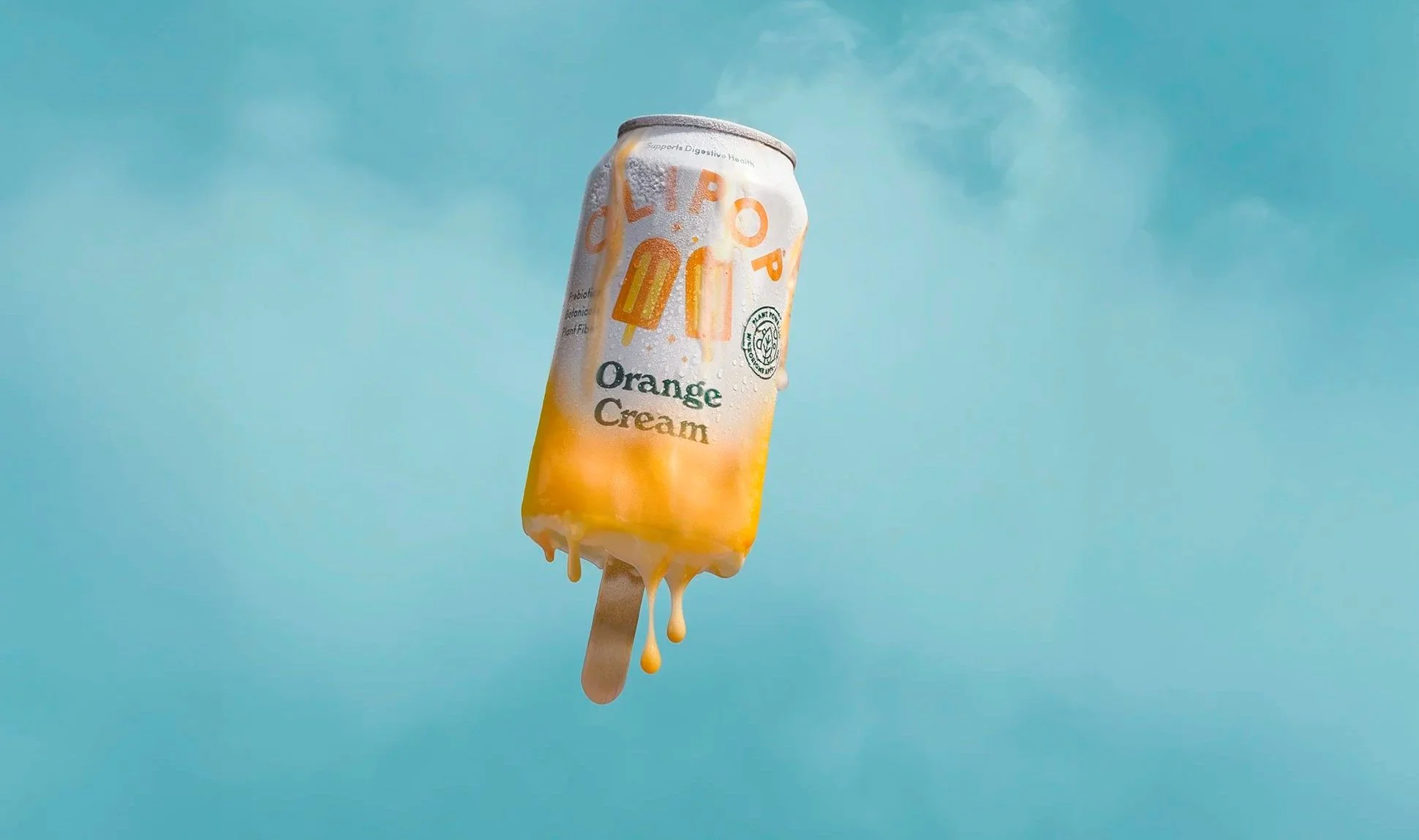
Final image of Olipop Orange Cream Soda, melting into a popsicle. Photo credit: Ryan Bringas
Using ChatGPT to Develop Visual Concepts
When I start building a concept, I often use AI to:
Pressure-test creative ideas
Explore visual references or possibilities
Generate alternate art direction angles
Refine messaging and mood
Clarify the emotional tone of a campaign
Sometimes it’s as simple as asking:
“What are five unexpected ways to style a nostalgic soda campaign? That kind of prompt expands the sandbox quickly. It helps surface directions I might not have explored yet. But here’s the key: AI gives possibilities but experience decides what’s viable. AI can only get you so far and using your creativity is important when being hired by a brand or agency. At the end of the day, real images sell and AI images do not.
After spending about 30 minutes refining my prompts, I found an image that allowed me to start visualizing my idea. An image like this cannot be captured solely in camera, it requires multiple retouching “plates” that will be brought into photoshop for layering and blending. Knowing the final image would require post-production, the shoot was designed around building assets, not just a single frame. I began with a hero can as the foundation, capturing each element as its own layer. Condensation, freeze texture, melting drips and the creamsicle form itself. This approach allowed for a controlled, seamless transformation in post.
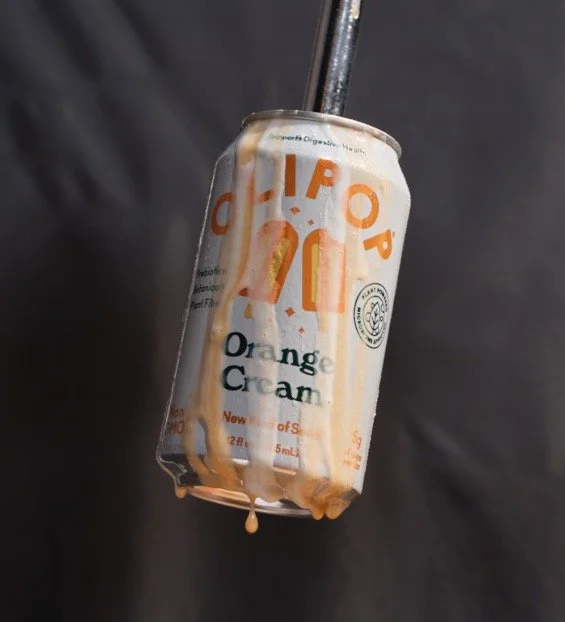
Capturing high quality retouching files is so important to post production.
After capturing a clean hero can, I photographed the supporting elements separately. For this shot, I held a melting creamsicle just out of frame and let it drip naturally onto the can.
This is where creativity and control intersect.
The organic drips create real movement and follow the curves of the can, wrapping naturally around its cylindrical form and subtle taper at the top and bottom. Capturing it this way gives more flexibility in retouching while preserving authenticity.
The result feels less composited and more believable — because the interaction between product and element is real.
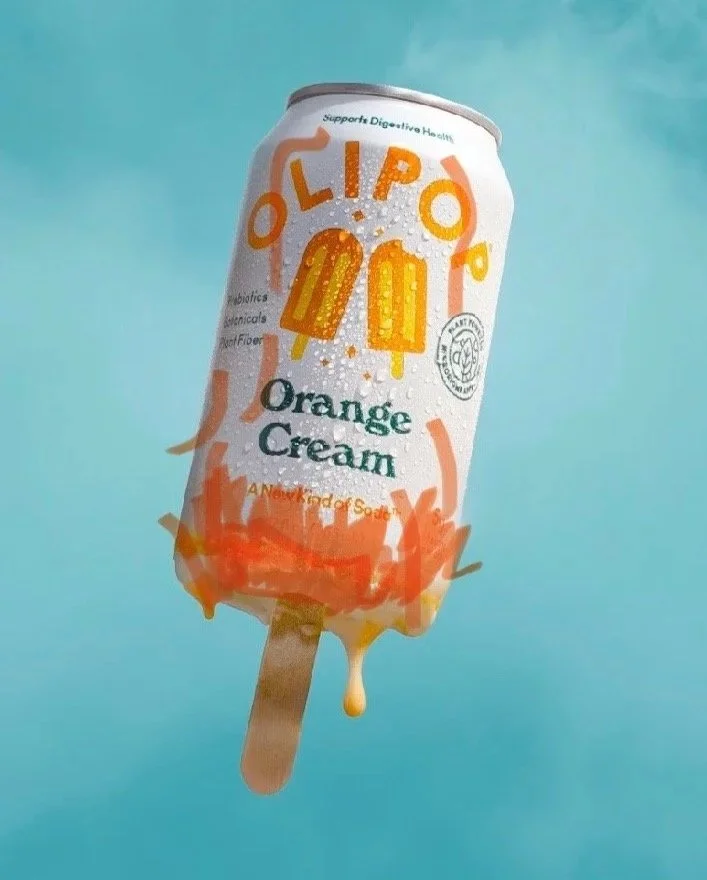
Retouching markups
Why Craft Still Matters
Anyone can generate an image prompt.
Not everyone can:
Recreate natural sunlight in studio
Build believable texture and depth
Capture practical assets
Keep your files organized for retouching.
Have a plan, but leave room to experiment.
AI is a tool.
Lighting, collaboration, and experience are what make the image real.

About Ryan
Food photography isn’t just captured, it’s felt. In a world where visuals are everywhere, reliability isn’t about style, it’s about intention, consistency and understanding.
I grew up in kitchens, watching a chef work and learning how passion directly translates to the plate.
That foundation shapes how I approach commercial photography and motion for food and beverage brands.